Who Is an Administrator?
A user with the administrator role is referred to as an administrator in ProductionCenter. Three types of administrators are possible:
•Printer Company administrators
•Print Buyer administrators
•Print Center administrators
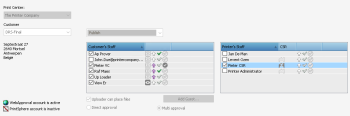
The Printer Company administrator can create Print Buyer companies for customers with whom they want to collaborate using the WebApproval and/or PrintSphere services. They can also create users for these Print Buyer companies and also for their own Printer Company. These companies and their users appear in the printer’s workflow software and can be selected when creating jobs. Printer Company users with the CSR role have similar rights for managing Print Buyer companies but limited rights for their own Printer Company.
 |
The Print Buyer administrator can manage the users and settings of his own company.
Print Center administrators have similar rights as the Printer Company administrator but only for their own Print Center: see “Multiple Print Centers”.
doc. version 13.5.1