Delete Measurements
This option allows to delete the last Strip measurement, all Strip measurements, or all measurements, when you complete measuring a Standard Profile Creation Target.
To delete the last Strip measurement(s):
1 After the measuring is completed, and the system has enough information, the Next button becomes available.
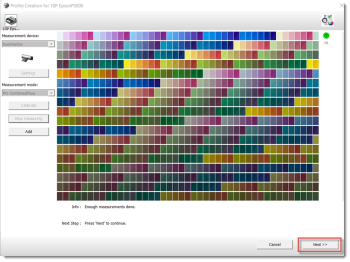 |
In order to be able to delete the last Strip measurement, all Strip measurements or all measurements, right-click on a Strip and select your choice:
•Delete Last Strip Measurement: click this option if you want to delete the last measurement of the selected Strip.
•Delete All Strip Measurements: click this option if you want to delete all measurements of the selected Strip.
•Delete All Measurements: click this option if you want to delete all measurements of the complete Target.
NOTE: See also Consulting the Conditions of a Proofing Reference.
doc. version 14.0.1